> ## Documentation Index
> Fetch the complete documentation index at: https://docs.oneloop.ai/llms.txt
> Use this file to discover all available pages before exploring further.
# API Keys
API Keys are issued under a Workspace. They are meant for your customers.
With our SDKs and embeddable frontend components, you can surface API Key functionality to your customers.
API Keys are issued under a Workspace and for a specific Customer. Customers
are referenced by their Customer ID. This is a unique identifier for your
customer. You can use any distinct identifier in your system for
`customer-id`.
## Create an API Key
There are many ways to create an API Key.
### Embeddable Frontend Components
Using our React component you can surface the functionality of creating, rotation, editing, deleting keys directly to your users.
Check out our [React SDK](https://www.npmjs.com/package/@oneloop-hq/frontend-react-sdk) to get started.
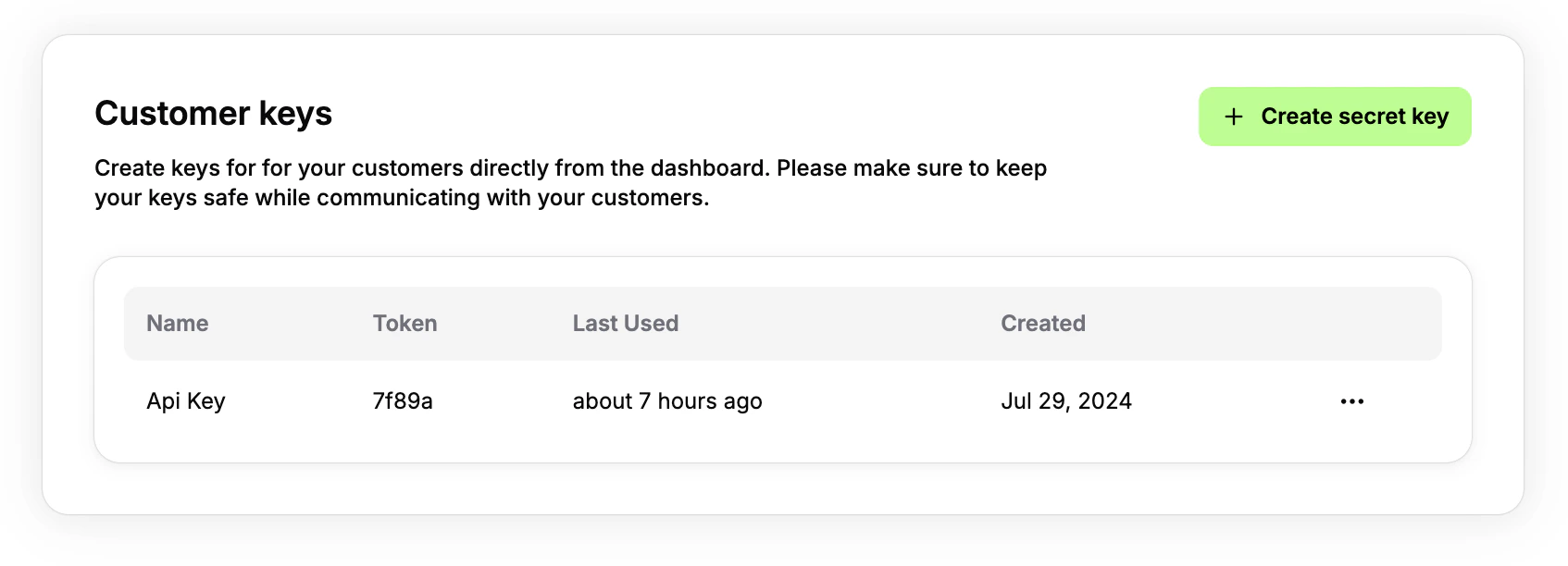 ### Dashboard
You can create an API Key directly from [Oneloop dashboard](https://dashboard.oneloop.ai).
Remember to share the API Key with your customers in a secure way.
### Backend SDKs
You can use our SDKs to create API Keys programmatically.
```typescript typescript theme={null}
import { OneloopClient } from "@oneloop-hq/oneloop-ts";
const oneloop = new OneloopClient({
token: process.env.ONELOOP_KEY ?? "",
});
const createApiKeyResponse = await oneloop.createApiKey({
name: "API Key",
scopes: [{
representation: "secure_endpoint",
read: false,
create: true,
update: false,
del: false
}],
enabled: true,
workspaceId: "WORKSPACE_ID",
customerId: "CUSTOMER_ID"
})
const key = createApiKeyResponse.apiKey;
const exposedKey = key.key;
const maskedKey = key.maskedKey;
console.log(exposedKey);
console.log(maskedKey);
```
```python python theme={null}
from oneloop_client.client import OneloopApi
oneloop = OneloopApi(token="your-oneloop-api-key")
api_key: CreateApiKeyResponse = oneloop.create_api_key(
name="My API Key",
workspace_id="workspace_id", # The workspace to create the key in
customer_id="customer_id", # The customer to associate the API key with
# The scopes that the API key should have
# Note that the representation is created when you create scopes inside the workspace
scopes=[
CreateApiKeyRequestScopesInner(
representation="balance_transfers",
read=True,
create=False,
update=False,
var_del=False
)
],
enabled=True
)
```
### Dashboard
You can create an API Key directly from [Oneloop dashboard](https://dashboard.oneloop.ai).
Remember to share the API Key with your customers in a secure way.
### Backend SDKs
You can use our SDKs to create API Keys programmatically.
```typescript typescript theme={null}
import { OneloopClient } from "@oneloop-hq/oneloop-ts";
const oneloop = new OneloopClient({
token: process.env.ONELOOP_KEY ?? "",
});
const createApiKeyResponse = await oneloop.createApiKey({
name: "API Key",
scopes: [{
representation: "secure_endpoint",
read: false,
create: true,
update: false,
del: false
}],
enabled: true,
workspaceId: "WORKSPACE_ID",
customerId: "CUSTOMER_ID"
})
const key = createApiKeyResponse.apiKey;
const exposedKey = key.key;
const maskedKey = key.maskedKey;
console.log(exposedKey);
console.log(maskedKey);
```
```python python theme={null}
from oneloop_client.client import OneloopApi
oneloop = OneloopApi(token="your-oneloop-api-key")
api_key: CreateApiKeyResponse = oneloop.create_api_key(
name="My API Key",
workspace_id="workspace_id", # The workspace to create the key in
customer_id="customer_id", # The customer to associate the API key with
# The scopes that the API key should have
# Note that the representation is created when you create scopes inside the workspace
scopes=[
CreateApiKeyRequestScopesInner(
representation="balance_transfers",
read=True,
create=False,
update=False,
var_del=False
)
],
enabled=True
)
```